
Buying Crypto
Browse the marketplace and walk through a complete USDT purchase, step by step.
Buying USDT on Trustfy means matching a seller's ad, sending them your local payment directly, and receiving USDT into your wallet the moment they confirm it arrived. Here's the whole path, start to finish.
Expected time
7 minutes
Difficulty
Beginner
You'll need
A connected wallet, A little BNB for gas, A way to send local payment
Browsing the marketplace#
Open Marketplace from the dashboard and you'll see every open sell ad for your chosen currency. Each listing shows:
- Price — the rate the seller is offering, in your local currency per USDT.
- Limits — the minimum and maximum you can match in a single trade.
- Payment methods — which rails (bank transfer, mobile money, etc.) the seller accepts.
- Merchant reputation — their completed trade count and rating, so you can judge how established they are before matching a large amount.
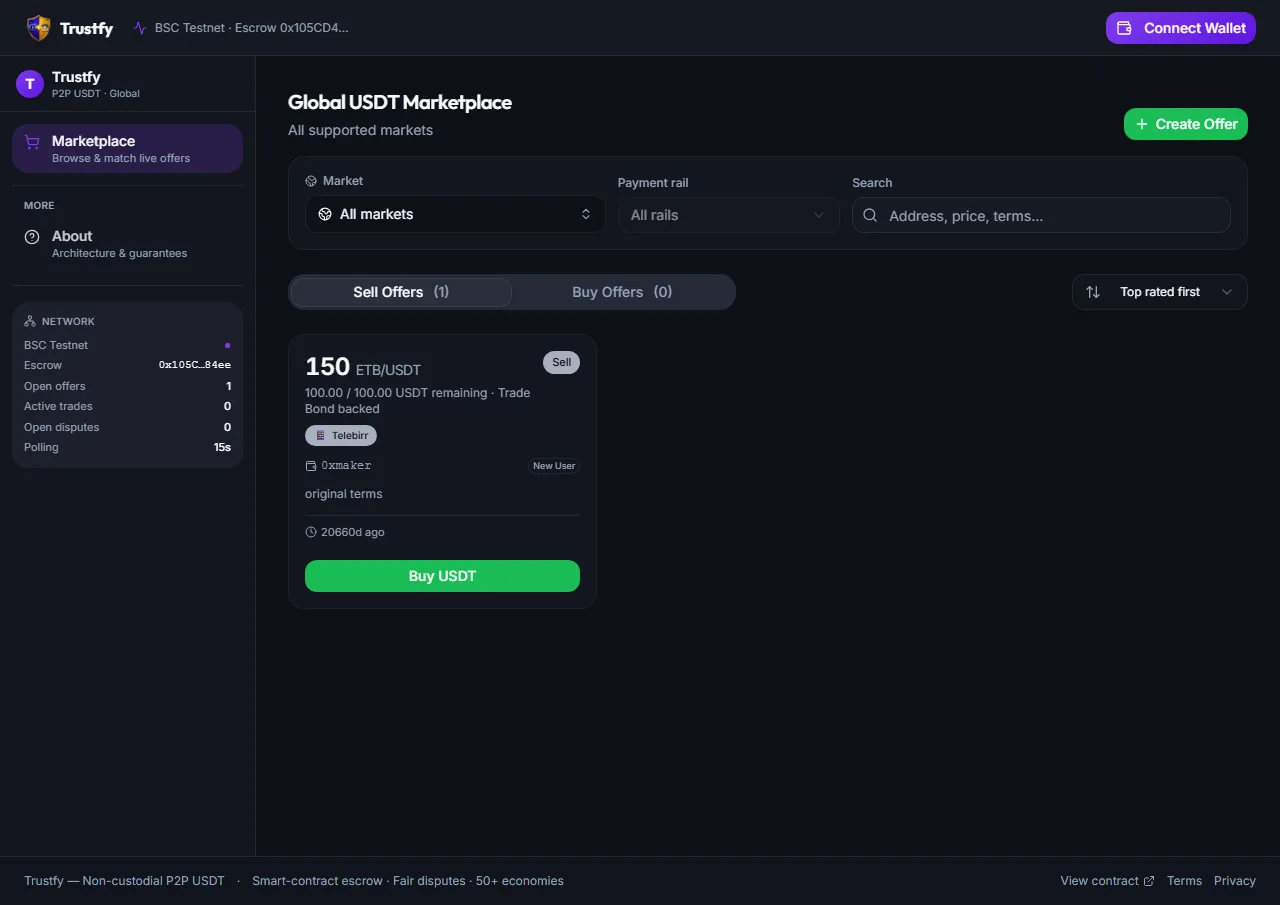
Filter before you scroll
Matching an ad#
- 1
Open the ad you want
Check the price, limits, payment methods, and the seller's reputation before committing.
- 2
Enter the amount
Type how much USDT you want to buy — it must fall within the ad's minimum and maximum.
- 3
Review the breakdown
You'll see exactly what you're paying in local currency, plus your Matching Bond, Dispute Bond, and taker fee — all clearly itemized before you sign anything.
- 4
Sign to create the trade
One wallet signature bundles your bond, dispute bond, and fee (and, if you're matching a sell ad, that's all you deposit — the seller funds the USDT itself next).
Waiting for escrow to fund#
Once matched, the trade briefly sits in Escrow Pending while the USDT is deposited into the smart contract. When it moves to Funded, that USDT is provably locked and cannot go anywhere except to you or back per a dispute ruling — this is your signal that it's safe to pay.
Trade #TFY-20441
250.00 USDT
Time to pay
00:47:12
Pay via
📱 M-Pesa
Making the payment#
- 1
Get the seller's payment details
Found in the trade chat — bank account, mobile money number, or whatever rail you both agreed to.
- 2
Send the exact amount
Use your own banking or mobile money app, off-platform. Double-check every digit of the account details before confirming the transfer.
- 3
Click I Have Paid
Only after you've actually sent the money. This notifies the seller and starts their review.
Pay within the window
Receiving your USDT#
Once the seller verifies the payment landed and clicks release, the escrowed USDT moves to your wallet automatically — no further action needed from you. The trade moves to Completed, and both your bonds are returned.
- Sending payment before the trade shows Funded — always wait for escrow to lock first.
- Sending from an account whose name doesn't match what the seller expects, which can complicate their verification.
- Forgetting to click I Have Paid after sending — the seller can't see your payment status until you do.
What if the seller doesn't respond after I pay? Wait out the Settlement Time Window, then you can trigger settlement or open a dispute — see Disputes.
Can I cancel after matching? Yes, subject to the free-cancellation rules in Bonds & Fees.
Do I need USDT already to buy more? No — buying is exactly how you get your first USDT; you only need BNB for gas.
Related guides